RSVP Swimmer for Meet
We require that all swimmers RSVP for meets on the SwimTopia site. Please RSVP for ALL meets before the start of the season. If your schedule changes, you can make updates until the RSVP deadline for each meet (e.g. For Thursday night meets, Monday night at 6pm is the RSVP deadline).
How to RSVP your swimmer for a meet:
Log on to the website.
Click on the “Calendar” tab in the navigation bar.Scroll down to the meet you would like to RSVP your swimmer.Click on the green “Meet entry” box.

On this screen, click the green “Edit” button.
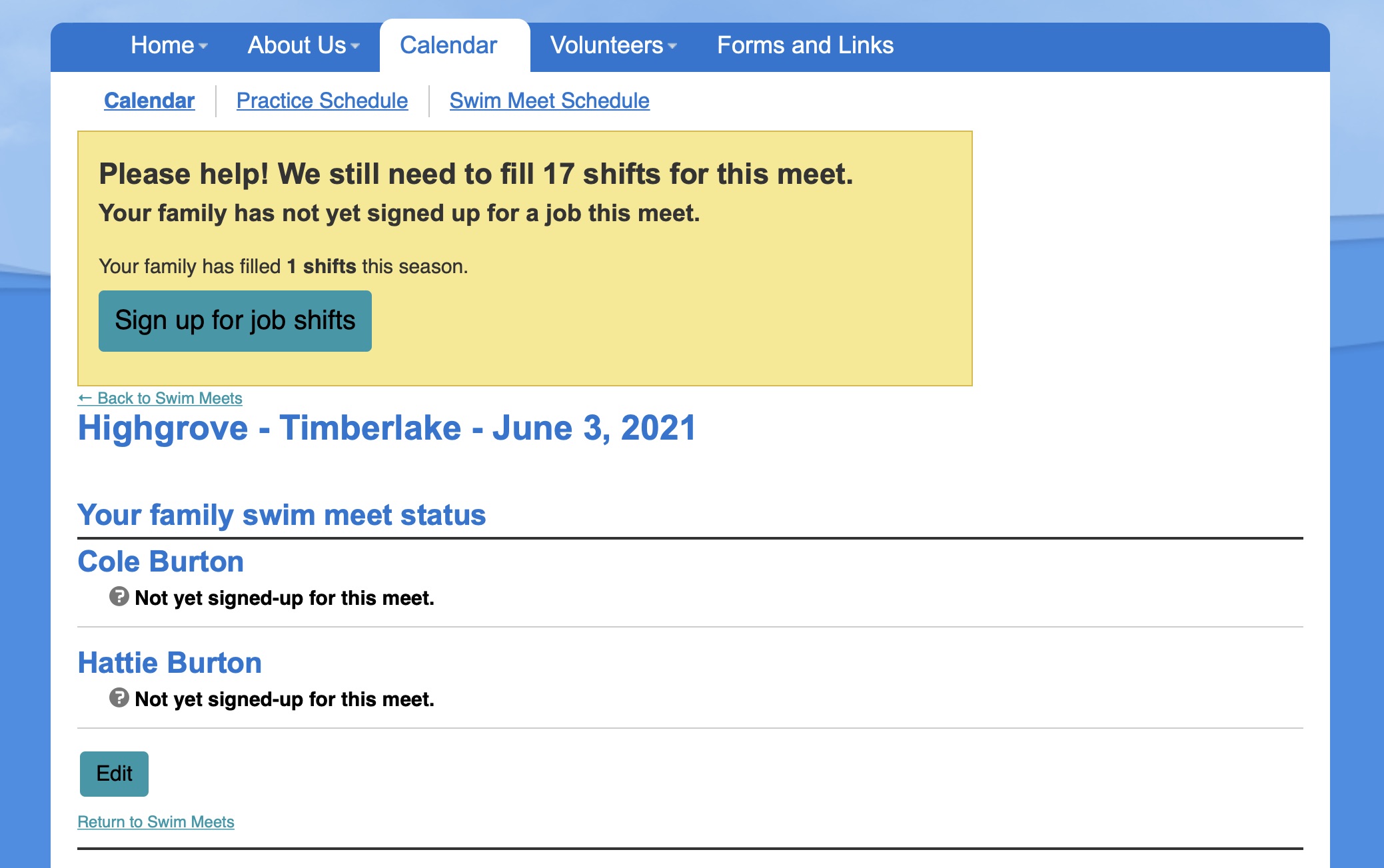
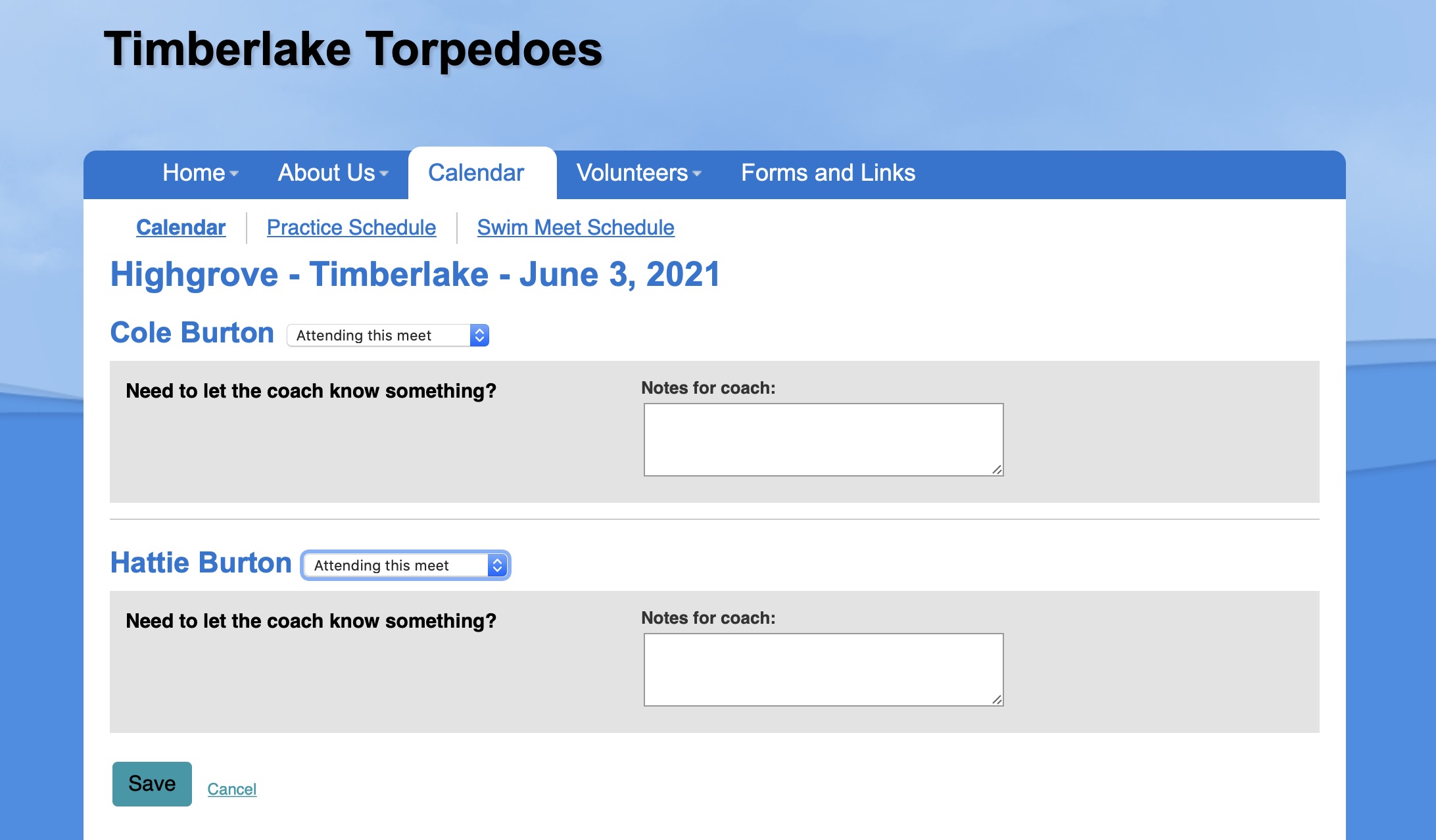
The next screen will allow you to specify which swimmers will or will not attend that meet.Click “SAVE” to retain your selection
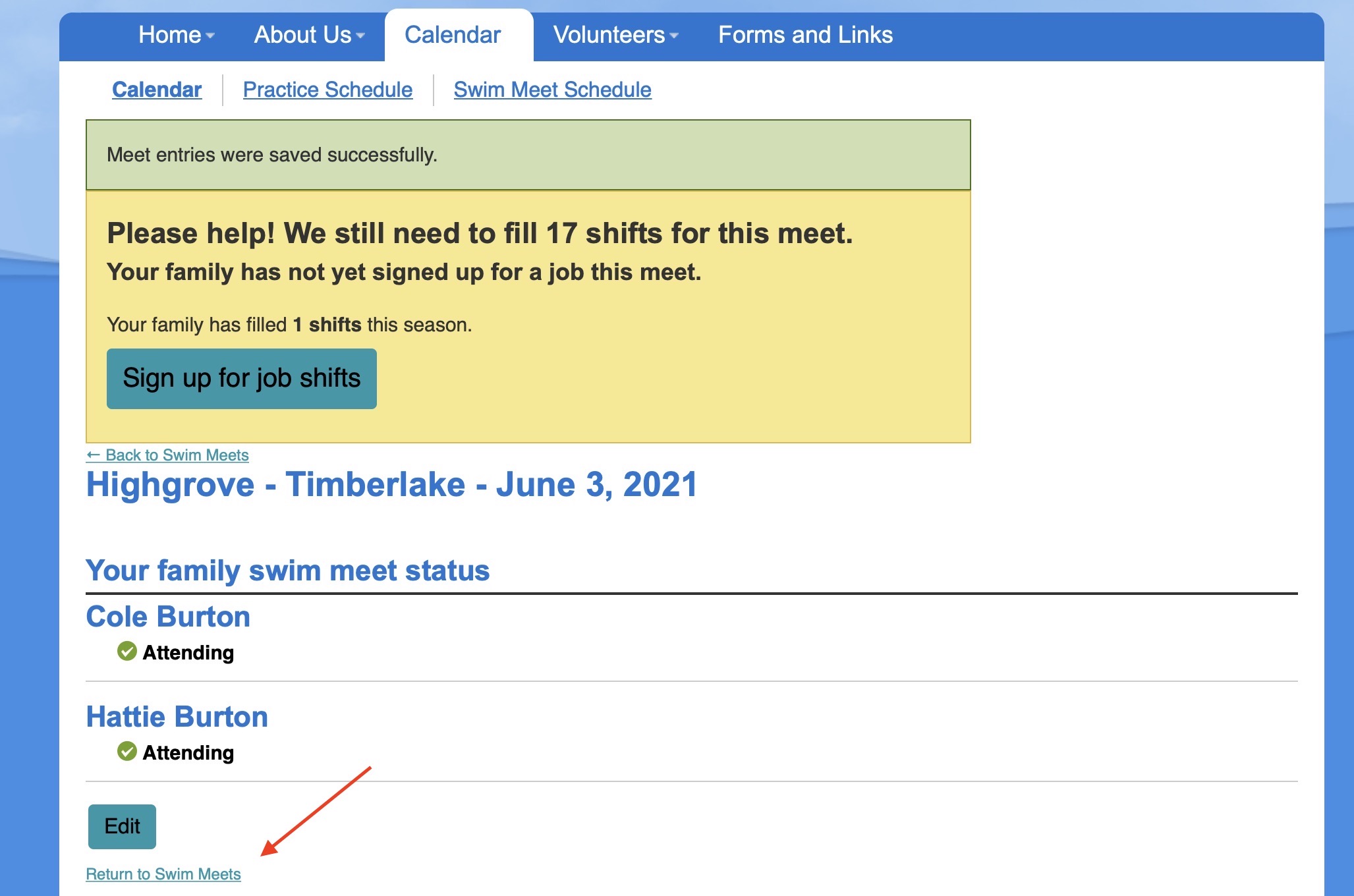
Once saved, use the option, “Back to Swim Meets” to return to the next meet to RSVP.
Text Area
Simple formatted text

